Grow Engagement with Community Leaderboards

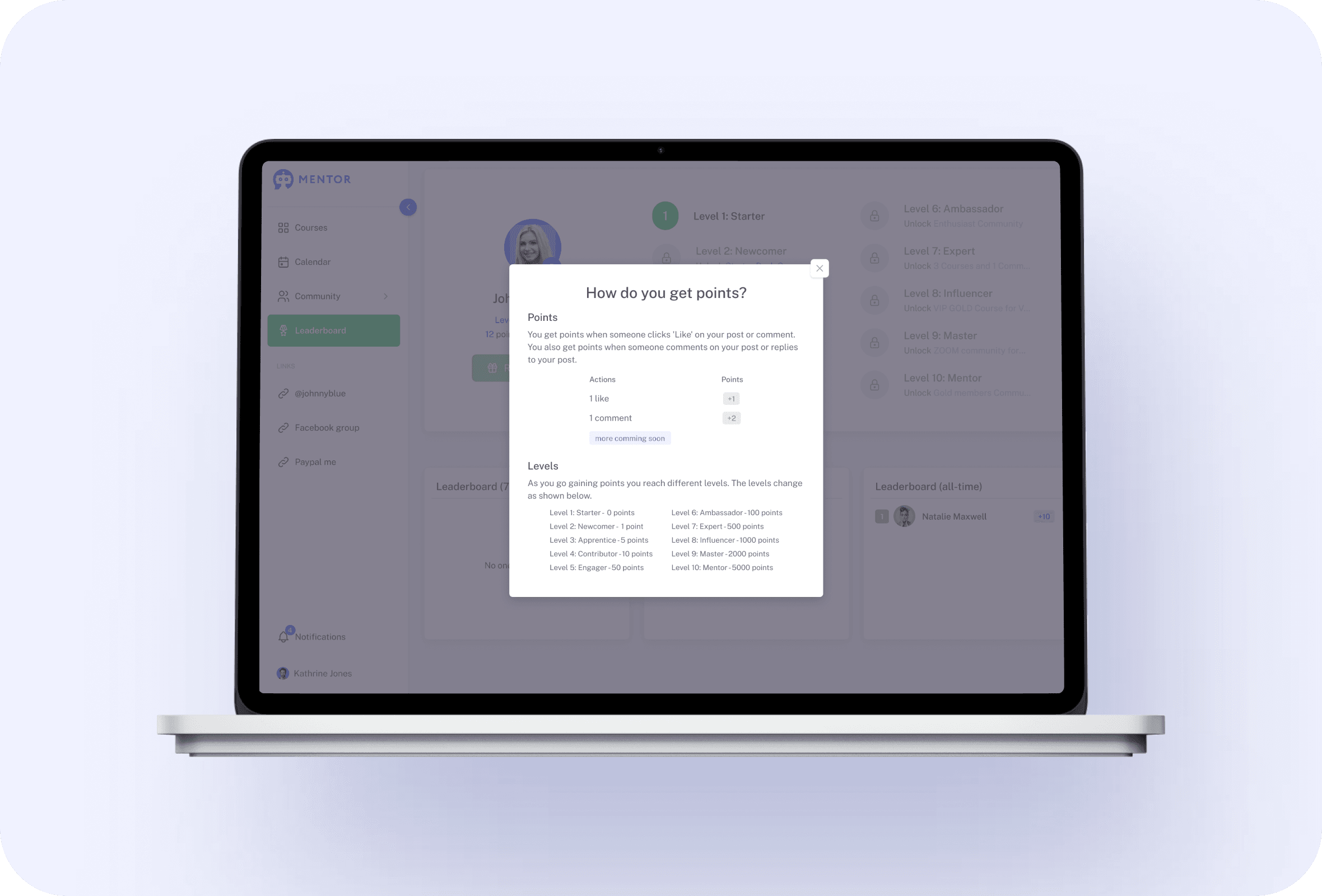
Enable a leaderboard per community, set how members earn points, and name level milestones that unlock courses. Members see their current level, how to collect points, and activity for the last 7/30 days and all time—motivation that stays visible.
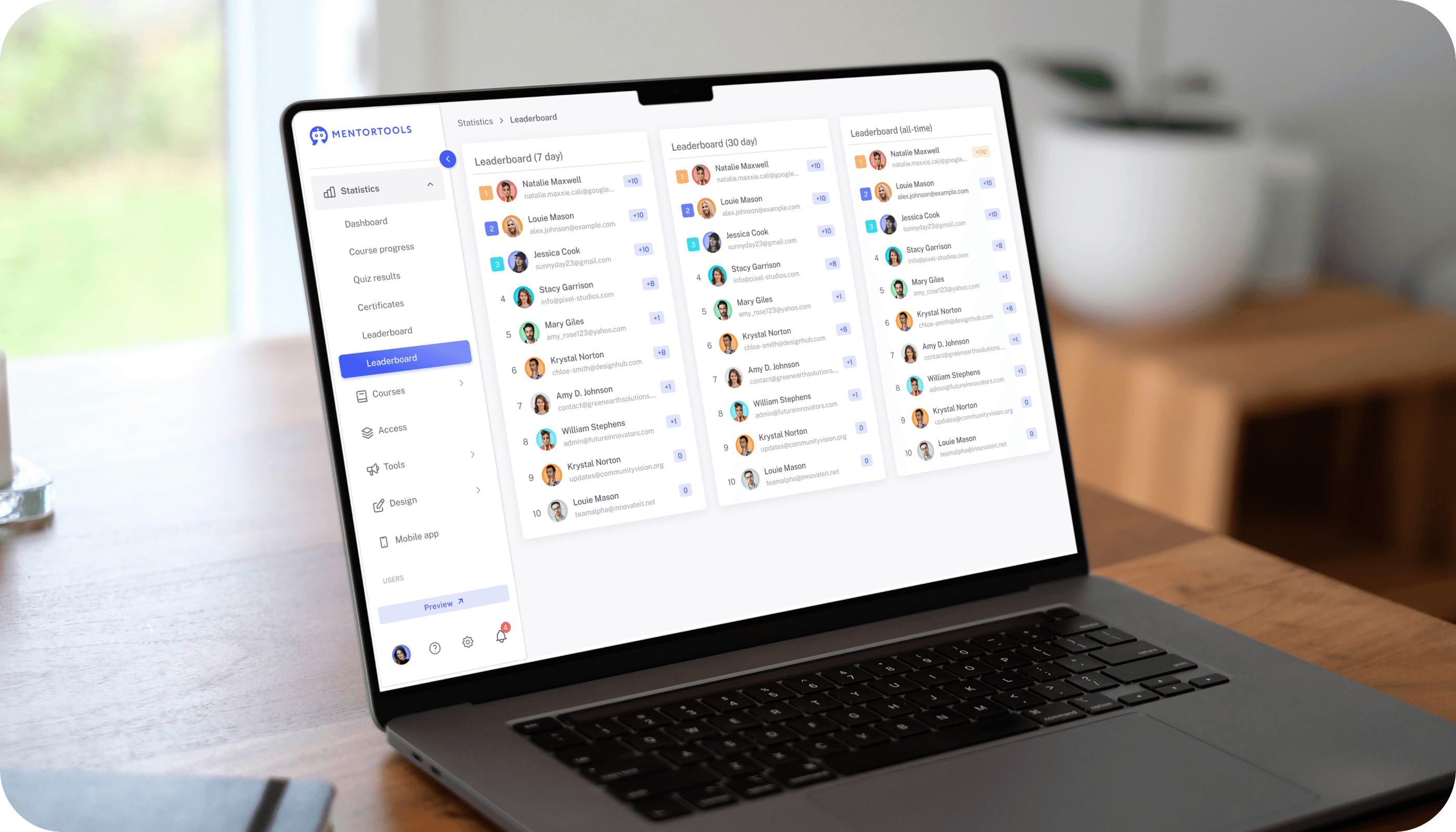
Interactivity leaderboard

Check out all the features. Then try Mentortools for 0€.

Leaderboards to Reward Participation

Award points for successful invites alongside standard actions. Track level, earning paths, and progress at a glance.

#1 Viral Growth with Affiliate Leaderboards

AFFILIATES
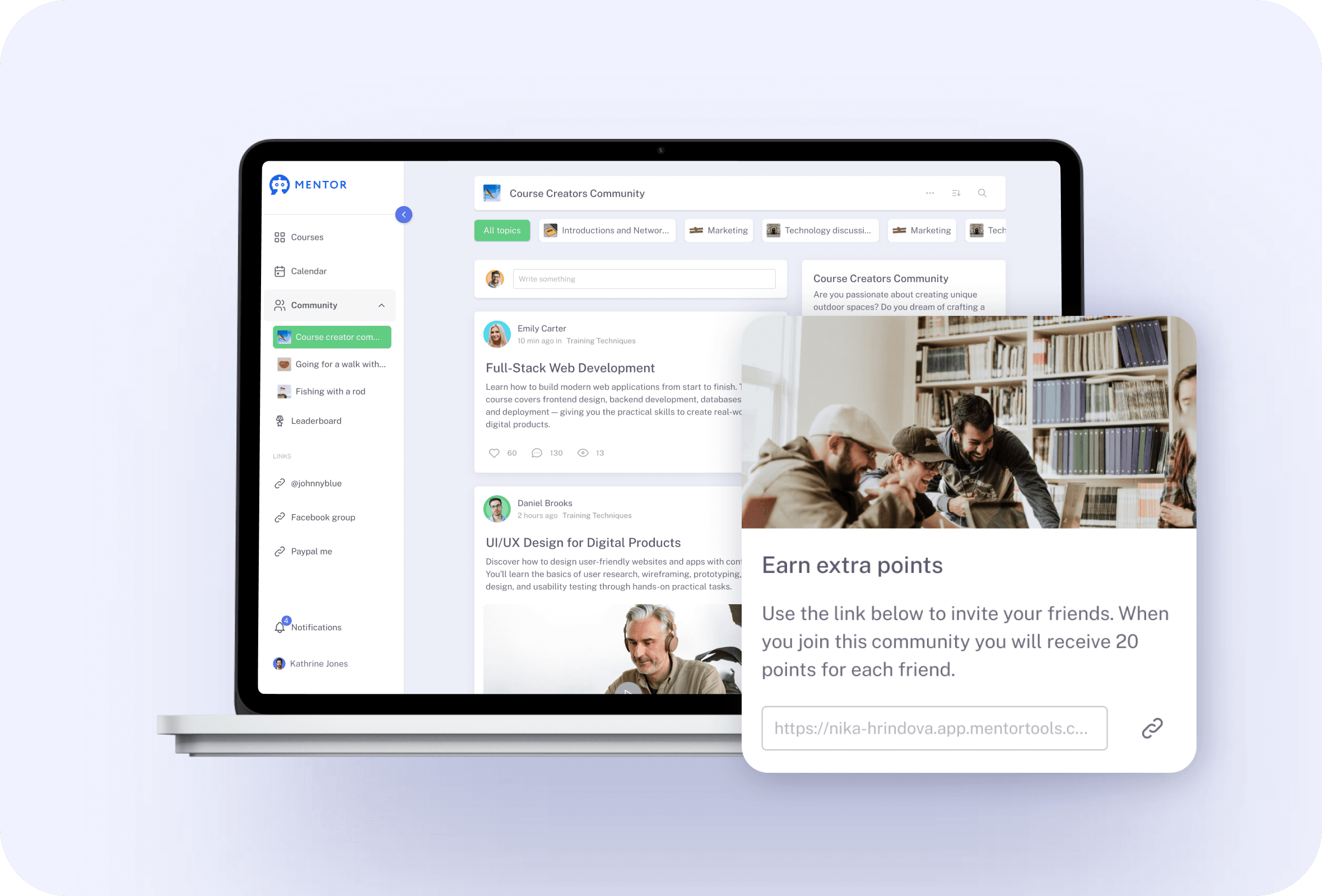
Turn invitations into visible progress. Enable Special Events → Referrals per community, set how many points a successful invite earns, and give every member a personal link.When someone joins through that link, the referrer gets the points you defined. Optionally let members add their Digistore24 ID so the link can award points and affiliate commissions—a dual reward that drives sharing.

Create your first board less than 5 minutes.

InteractivityLeaderboard feature 1

#2 Levels with Course Rewards That Unlock Automatically

LEVELS & COURSE REWARDS
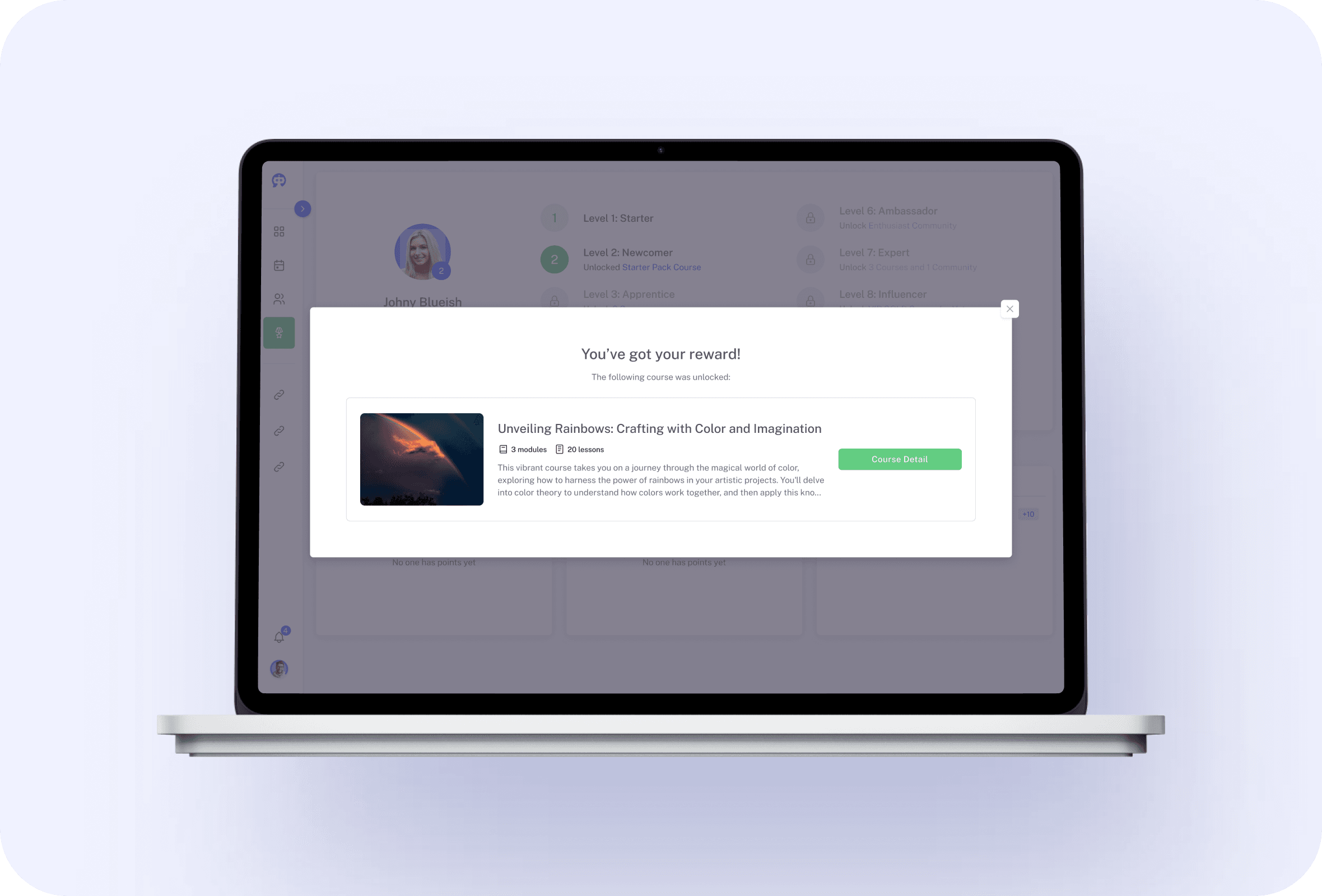
Create clear milestones by naming levels and defining the exact point thresholds to reach them (a leaderboard needs at least two levels).At selected levels, unlock courses as rewards—short, high-value mini-courses with videos, images, files, exercises, or audio. Members see tangible benefits for activity, and you keep motivation high without manual fulfillment.
InteractivityLeaderboard feature 2

#3 Choose Where It Shows—and Where Points Come From

COMMUNITY STATS
Decide which communities display the leaderboard and which communities contribute points and activity.This separation gives you a clean overview across your ecosystem while keeping the leaderboard visible only where it belongs. You control both the audience and the underlying data sources, so recognition stays relevant and accurate.
InteractivityLeaderboard feature 3

#4 Member View: Level, How to Earn, and Activity Windows

ACTIVITY VIEW
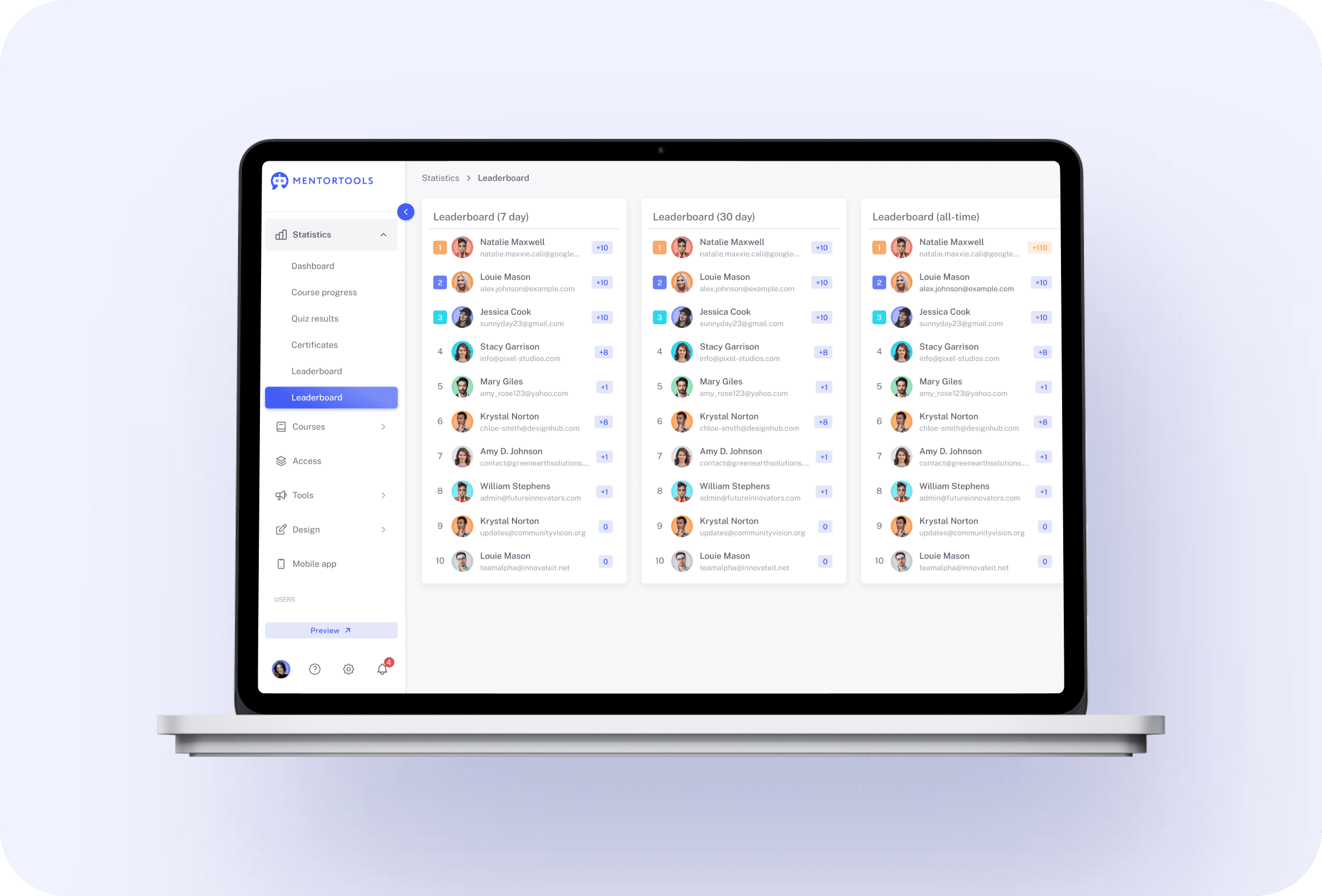
Members find Leaderboard in their navigation and can check their current level at any time. A ? help panel explains exactly how to earn points, and activity summaries show the last 7 days, last 30 days, and all-time totals.Clear feedback helps everyone understand what to do next and how close they are to the next reward.
InteractivityLeaderboard feature 4

#5 Simple Admin Setup—Configure in Tools, Review in Statistics

SETUP
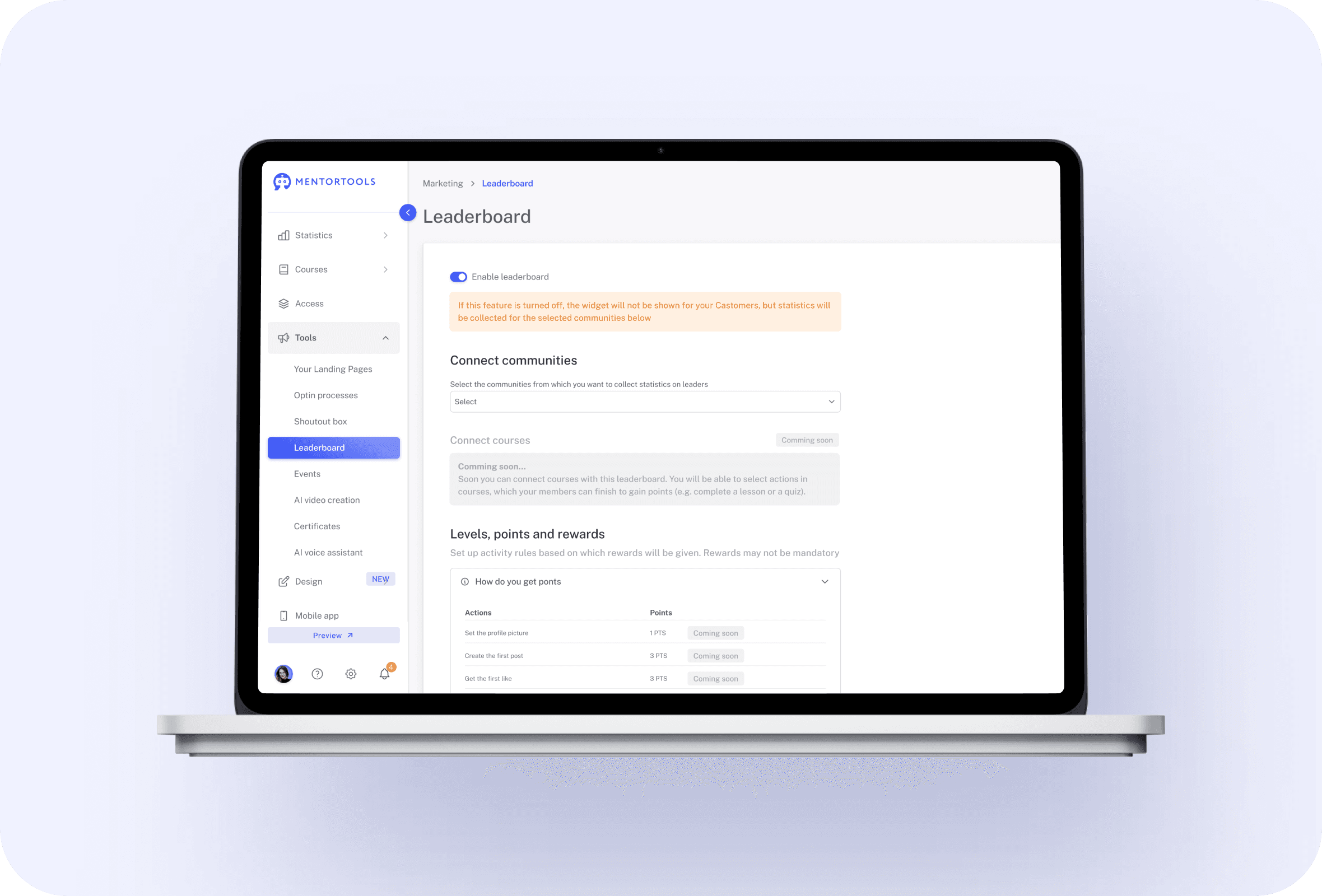
Activate the leaderboard under Tools → Leaderboard, add levels with the + button, set point thresholds, optionally attach course rewards, and click Save. For analysis, open Statistics → Leaderboard to review performance.Configuration and reporting live in logical places so setup stays quick and ongoing checks remain effortless.
InteractivityLeaderboard feature 5

#6 Automatic Point Assignment

AUTO POINTS
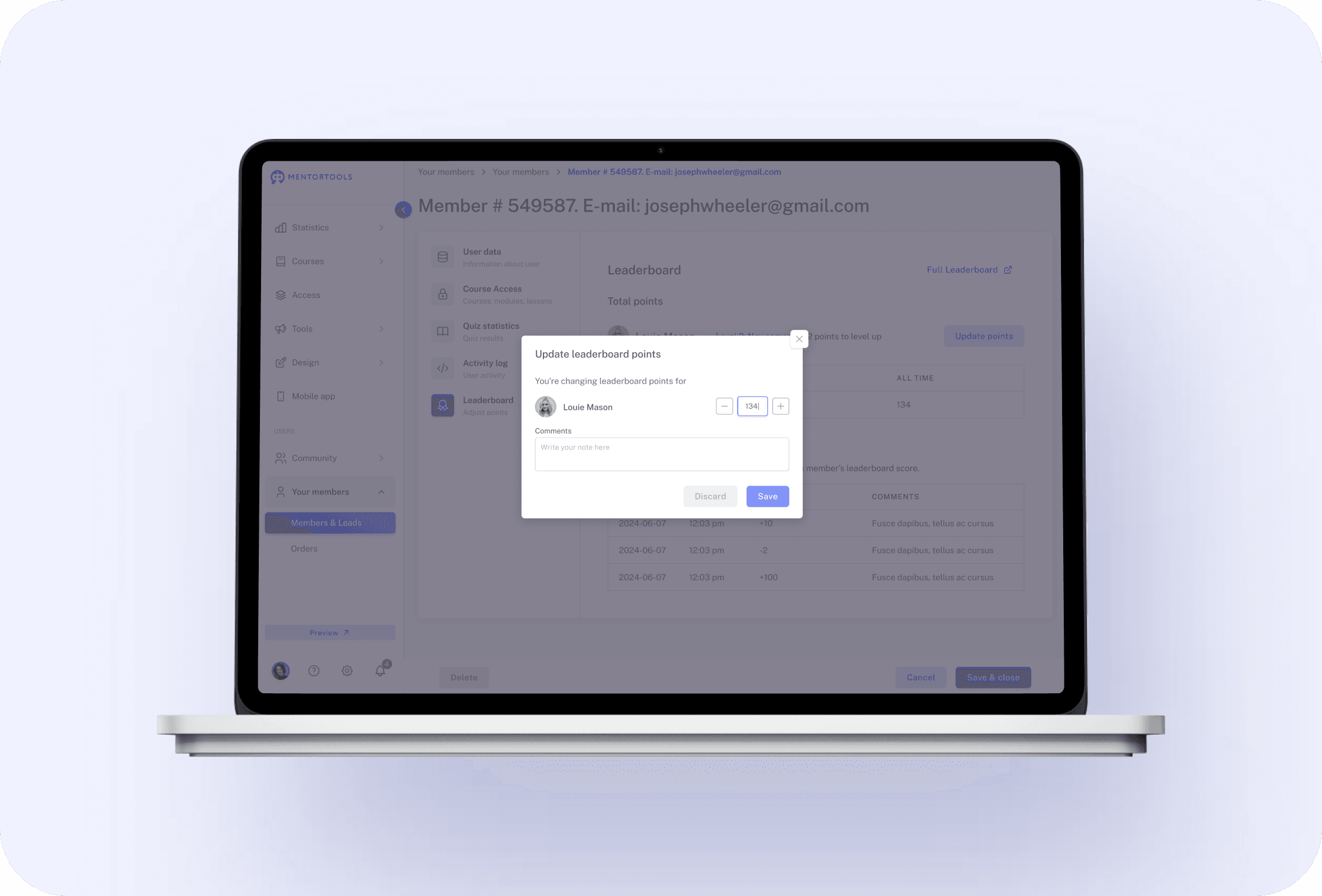
Once configured, points accrue automatically from the activities you define. With Special Events → Referrals enabled, a new user registering via a member’s personal link credits the referrer with the exact number of points you set.No spreadsheets or manual adjustments—the leaderboard updates itself and keeps recognition timely.
InteractivityLeaderboard feature 6

#7 Run Weekly or Monthly Leaderboard Drives

WEEKLY / MONTHLY CHALLENGES
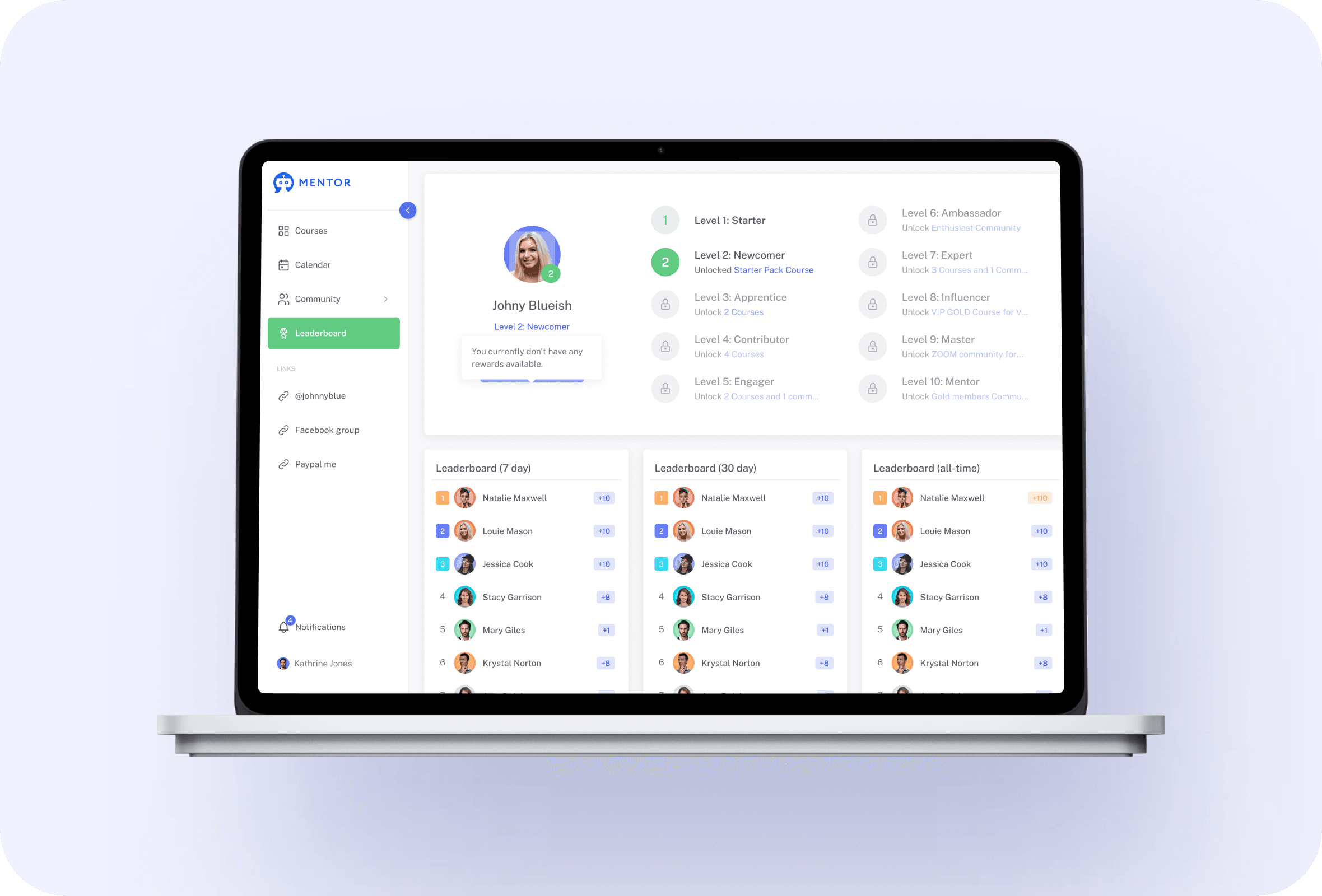
Because members can see 7-day and 30-day activity, it’s easy to run time-boxed pushes like “Top Inviter This Week” or “Level-Up in 30 Days.” Announce rules, remind members how to earn points, and use course unlocks as prizes.The built-in windows make short campaigns simple to launch and simple to judge.
InteractivityLeaderboard feature 7

#8 Fast Start with Guardrails

FAST START
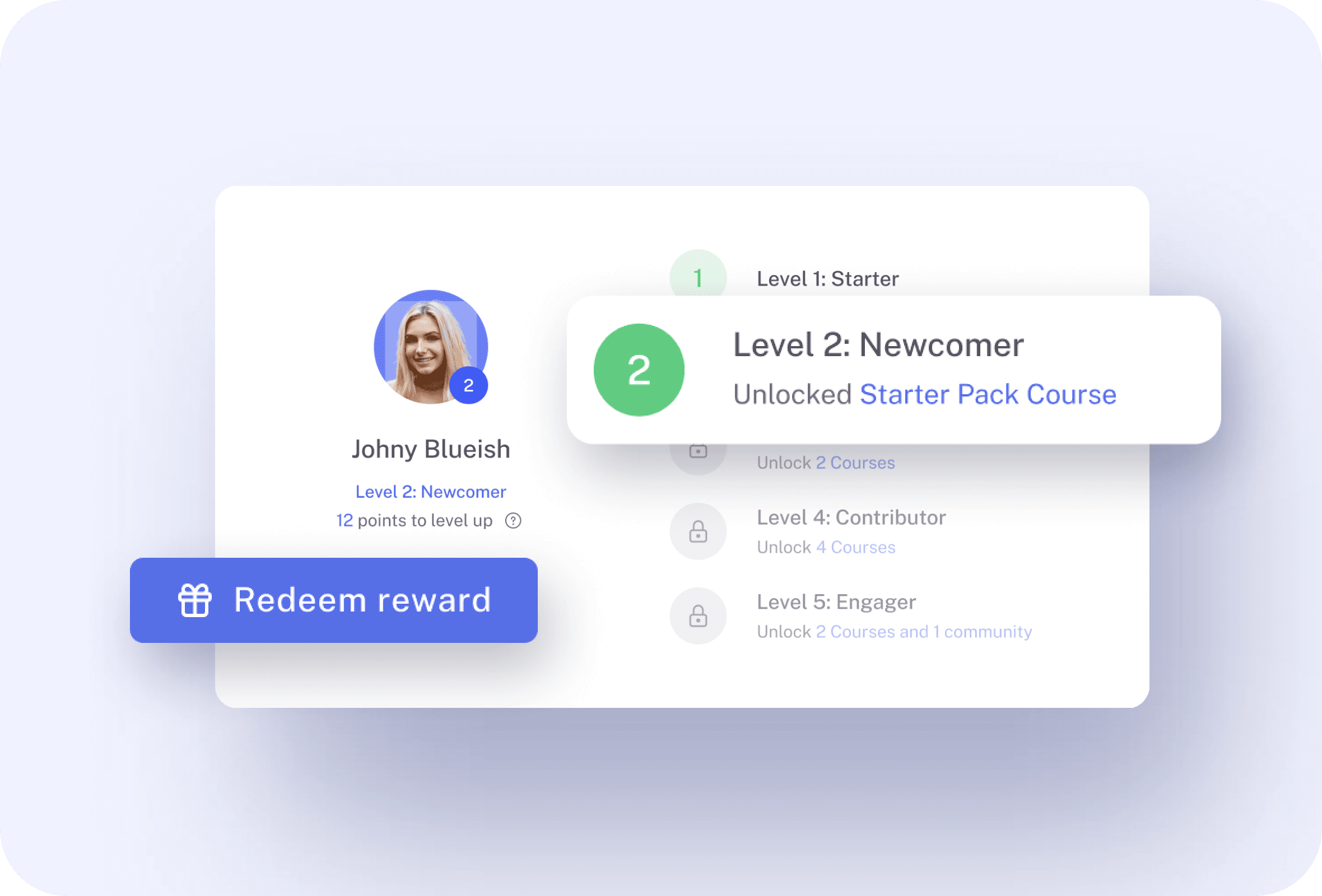
Getting up and running takes minutes. A leaderboard requires at least two levels, and you can add more with a click.Name each level, define point thresholds, optionally select a reward, and Save. Members immediately see their place, how to earn points, and recent activity—so participation starts rising from day one.
InteractivityLeaderboard feature 8

Only with Mentortools: unlimited features

Sign up now and enjoy unlimited use of Mentortools.

Unlimited Courses

Your Mentortools account includes an unlimited number of courses. Create one course or 300 – there are no limits when you use Mentortools.

Unlimited Members

Invite as many members (clients, employees, etc.) as you want. No more annoying limits holding you back – scale without restrictions.

Unlimited Content

You and your members can upload as many videos, audios, images, and files as you like. No need for extra video hosting services.

Unlimited Communities

Create as many communities as you want inside Mentortools – with groups, posts, comments, and members. Total freedom to engage and grow.

Unlimited Chat Groups

Mentortools also lets you create unlimited chat groups with your users, whether directly with you or between members. Maximum flexibility.

Unlimited Landing Pages

Mentortools includes unlimited landing and sales pages. Create as many as you want with a modern visual builder.
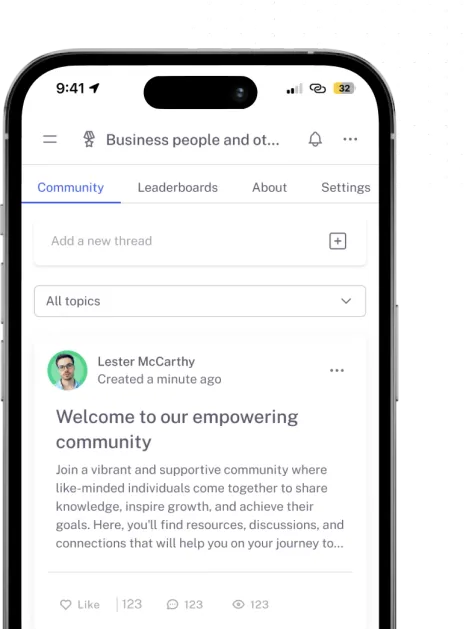
Mentortools mobile app

Mentortools offers the fastest way to turn your knowledge into high-quality online courses.

Start your test and your course will be ready in just 5 minutes

Ready to Begin? Let's Get Started

See all the features absolutely free.