Add customized chatbots to your lessons to make your courses interactive

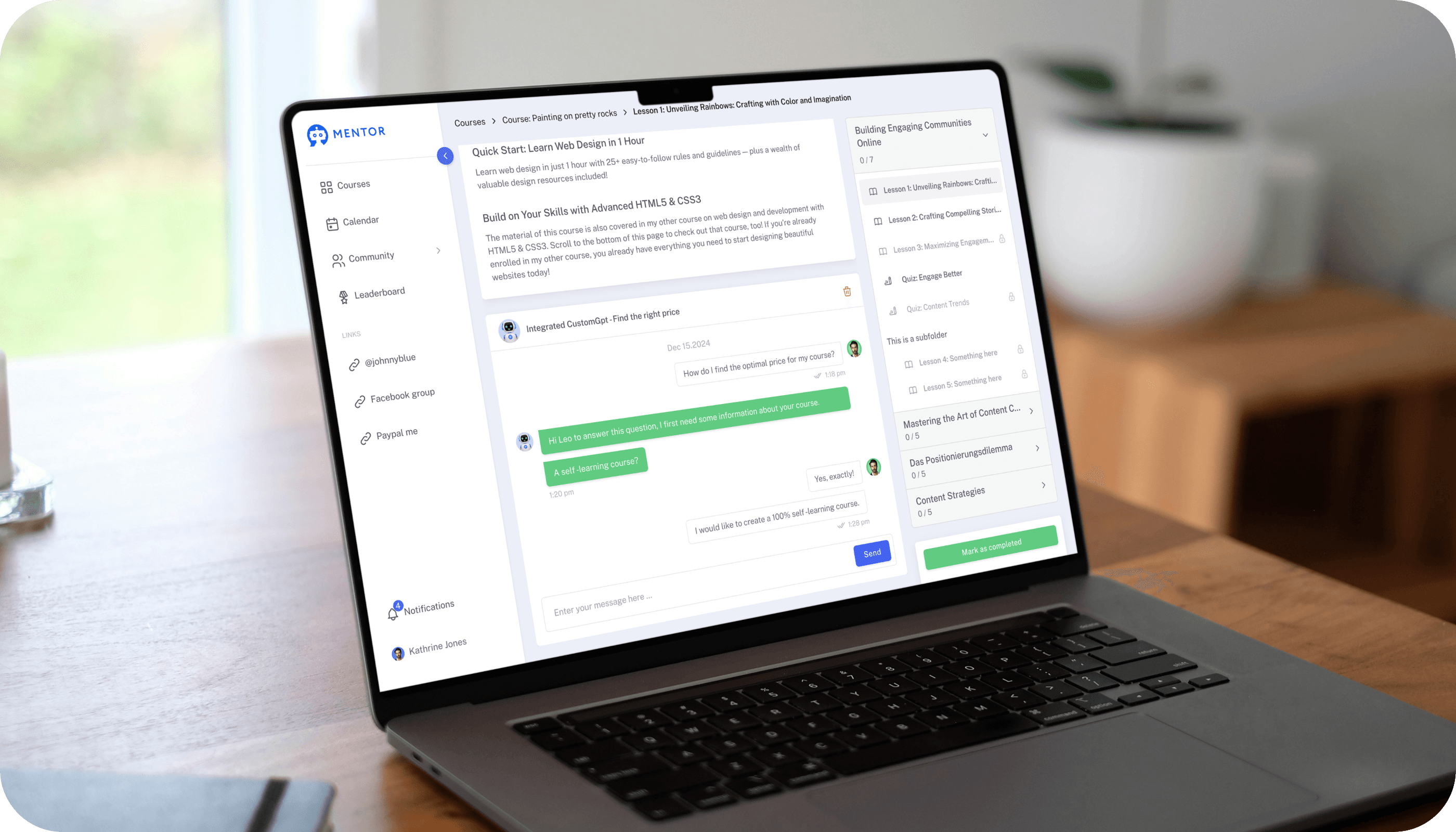
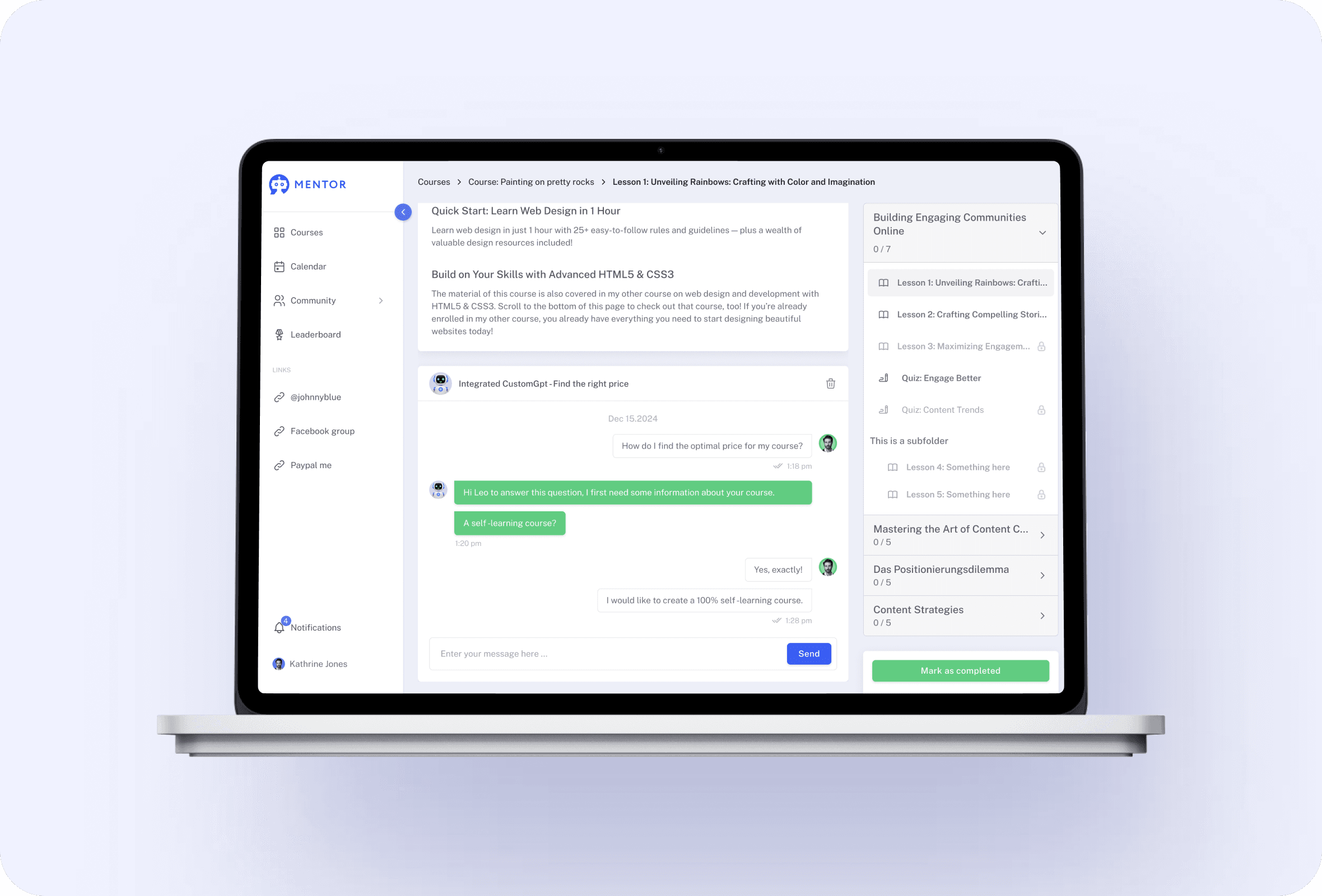
Mentortools enables you to add customized chatbots to your lessons where customers can ask questions and complete tasks to get a specific result within your membership area in your course lessons.
Create your finished course in less than 5 minutes.
Interactive future-proof courses in minutes

Add individual chatbots to your lessons without any technical skills necessary.

#1 Make courses interactive

Results for members

Give your students more than just content. Integrated chatbots (similar to a CustomGPT) can be placed right inside your lessons, always available to answer questions, explain details, and support your participants.Create those individual chatbots directly in Mentortools, tailored to your community and your content. You do not need any additional tool. This turns learning into an interactive, personalized, and engaging experience.Additionally, you can view all conversations that your members have with the chatbot and learn valuable lessons.

Create your finished course in less than 5 minutes.

Results for members

#2 Create chatbots in a few minutes without tech skills

Simple creation
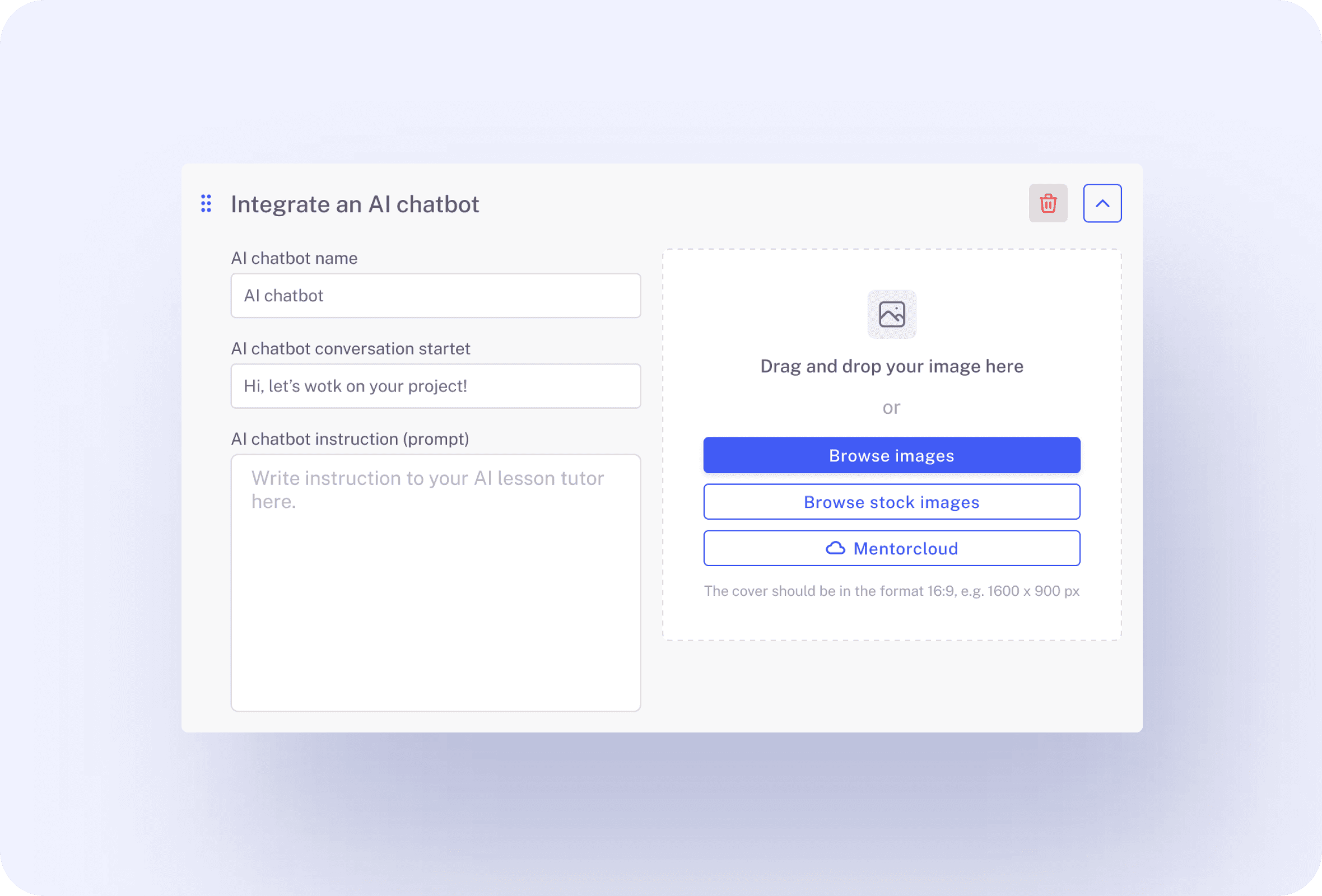
Go to your lesson, click on "Add Custom Chatbot", and simply type what the chatbot should do or ask the MentorAgent to create a proper prompt for the chatbot.It takes you just a few minutes and no additional tools to create custom chatbots for your members in Mentortools.
Simple creation

#3 No additional tools required

No ChatGPT, no Claude
Mentortools directly uses the AI. No connection to ChatGPT, Claude, or any other external AI company is necessary.Everything is managed directly by Mentortools and you or your members do not have to worry about anything.
No additional tools required

#4 See what your members ask

Statistics
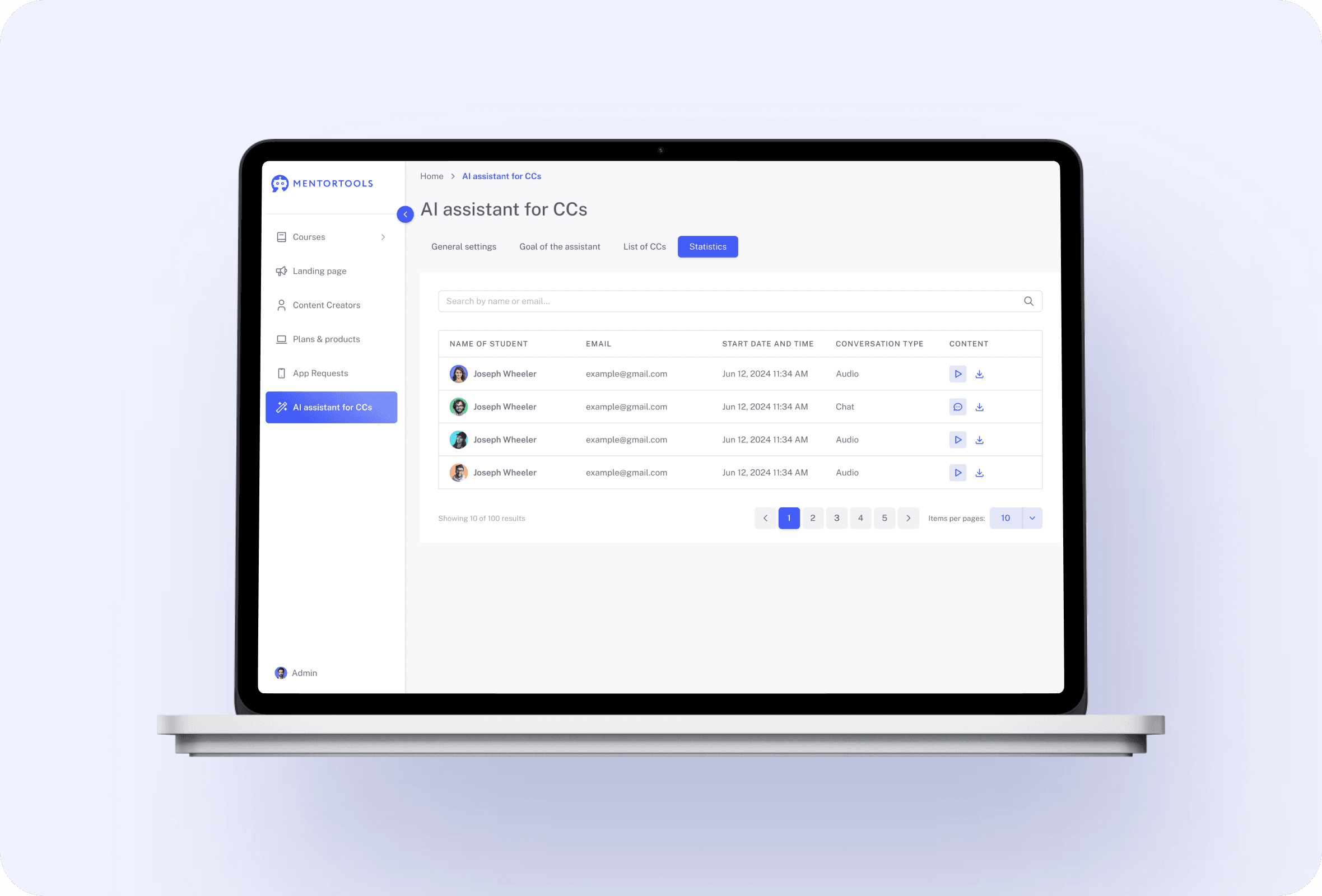
If your members talk to a real support agent, you can see the conversations in your support tool. Similar to this, Mentortools also stores all the conversations that your users have with your chatbot.This means that students can always go back to those conversations and continue them. It also means that you can see what your students ask about, what the most common problems are, and you can use this information to improve your courses or create new digital products.
Statistics

Only with Mentortools: unlimited features

Sign up now and enjoy unlimited use of Mentortools.

Unlimited Courses

Your Mentortools account includes an unlimited number of courses. Create one course or 300 – there are no limits when you use Mentortools.

Unlimited Members

Invite as many members (clients, employees, etc.) as you want. No more annoying limits holding you back – scale without restrictions.

Unlimited Content

You and your members can upload as many videos, audios, images, and files as you like. No need for extra video hosting services.

Unlimited Communities

Create as many communities as you want inside Mentortools – with groups, posts, comments, and members. Total freedom to engage and grow.

Unlimited Chat Groups

Mentortools also lets you create unlimited chat groups with your users, whether directly with you or between members. Maximum flexibility.

Unlimited Landing Pages

Mentortools includes unlimited landing and sales pages. Create as many as you want with a modern visual builder.
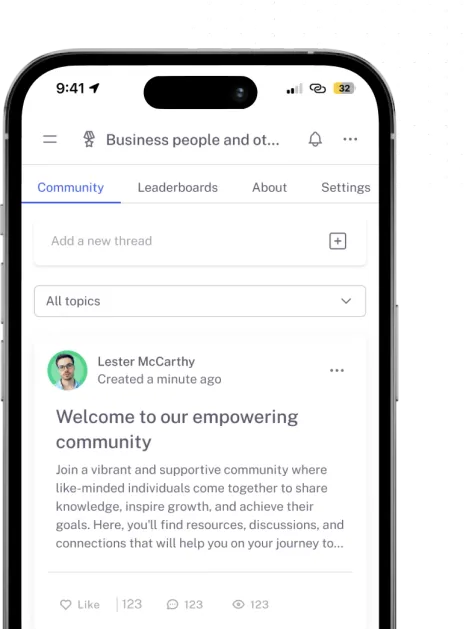
Mentortools mobile app

Mentortools offers the fastest way to turn your knowledge into high-quality online courses.

Start your test and your course will be ready in just 5 minutes

Ready to Begin? Let's Get Started

See all the features absolutely free.